13 Nov
I opened Jeton app recently and noticed a few things on the login screen.
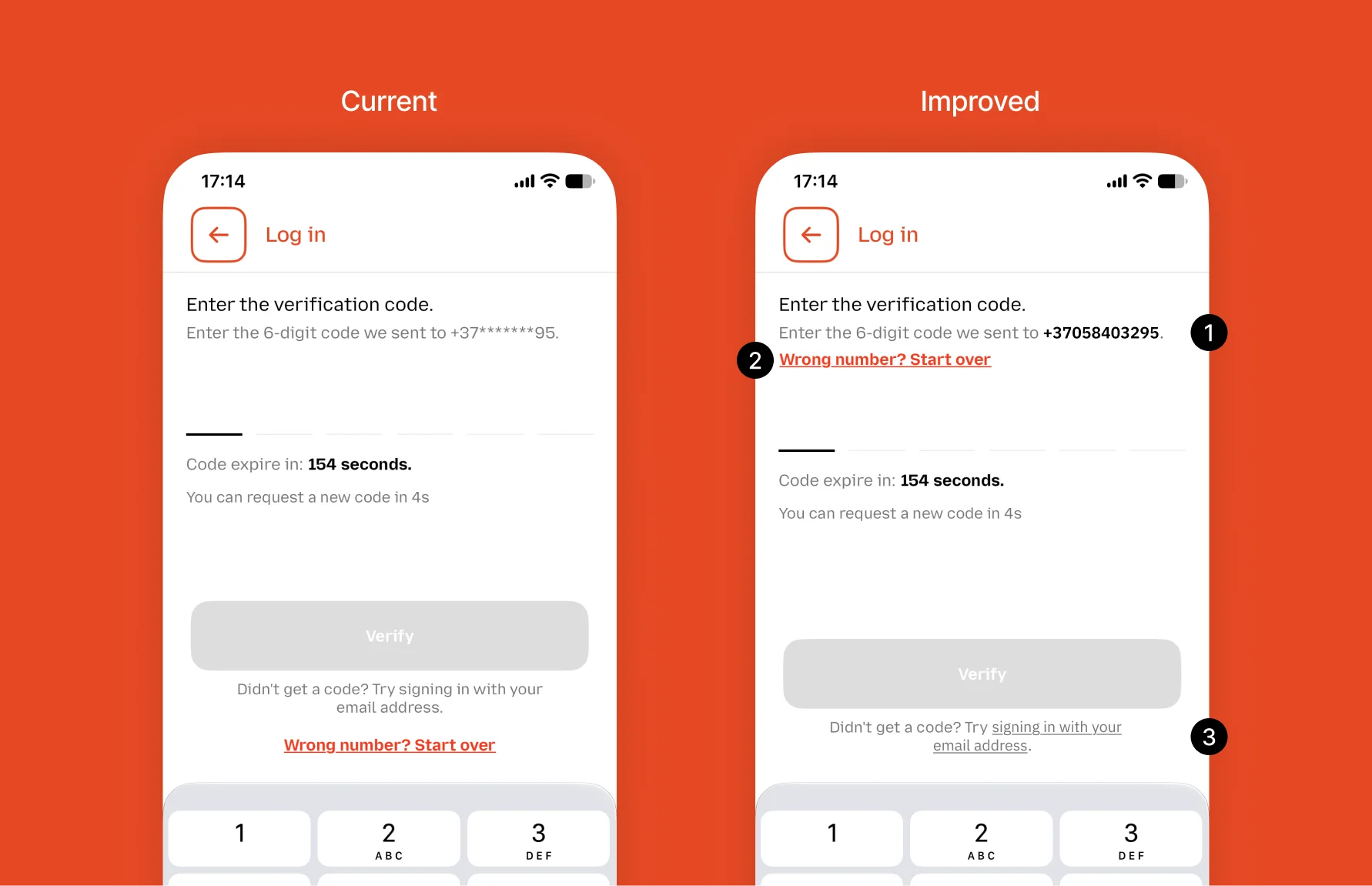
- Users can’t see the phone number they entered. The number was typed on the previous screen anyway, so hiding it makes little sense. Now they can’t check if it’s correct.
- The link to change the number is far from the number. Users look at the number at the top, but the fix is somewhere else.
- The email login is just plain text. It’s not clear how users can open it.
A quick fix, 80% of the result with 20% of the effort:
- Show the number and highlight it
- Put “Change number” next to it
- Make the email option a real link
There is more to improve, of course.