Turning email into recognized sales activities, automatically.

PipedriveSales CRMProduct Designer Lead202612 weeksTeam of 7
Pipedrive email activities cover

Sales managers track team performance by activity volume — such as calls and emails sent — via the Insights dashboard. Sent emails weren't counted as activities automatically, forcing sales reps to log each one manually. Most didn't bother, making a huge chunk of actual sales effort invisible in reports and causing managers to lose trust in their own data.

Create "Email" activities weekly, manually
67K UU
Activities & Email Reporting support tickets
350
Opportunity area
$2.5M ARR

What customers were telling support

A lot of my job is making sure that they're getting the data in Pipedrive... If it's not in Pipedrive, it's like it didn't happen as far as I'm concerned.

I try to build a report, choose the filter for email type... and I don't see any emails there, because the email isn't logged as an activity automatically.

I can't report the activities & emails the way I need.

Our ultimate goal is to get the number of emails sent per day.

Risks identified and actively mitigated

Tension between sales reps and managers

  1. Managers need trustworthy activity data for performance tracking
  2. Reps want zero extra friction in their email workflow
  3. Automating too much would flood reports with noise
  4. 68% of users wanted automatic logging — but not of every email

Problem statement

Business

Incomplete activity data undermines Insights reporting and drives support volume

Sales reps

Real work goes uncredited because manual logging gets skipped

Manager

Can't trust the numbers they're managing against

Assumption

A simple manual "log this as activity" prompt post-send would be enough — it validated the concept.

But it killed repeat usage due to the extra confirmation step.

Challenge

Make logging feel automatic and effortless — without flooding reports with noise from emails that don't matter.

How might we help sales managers get a more unified, less scattered email experience?

My role was leading the end-to-end product design of the Email Activities workflow — from discovery through shipped features.

I worked closely with a cross-functional team of stakeholders day-to-day — a PM, engineers, and a product intelligence lead — and checked in periodically with CFT members for frontline customer insight.

Direction

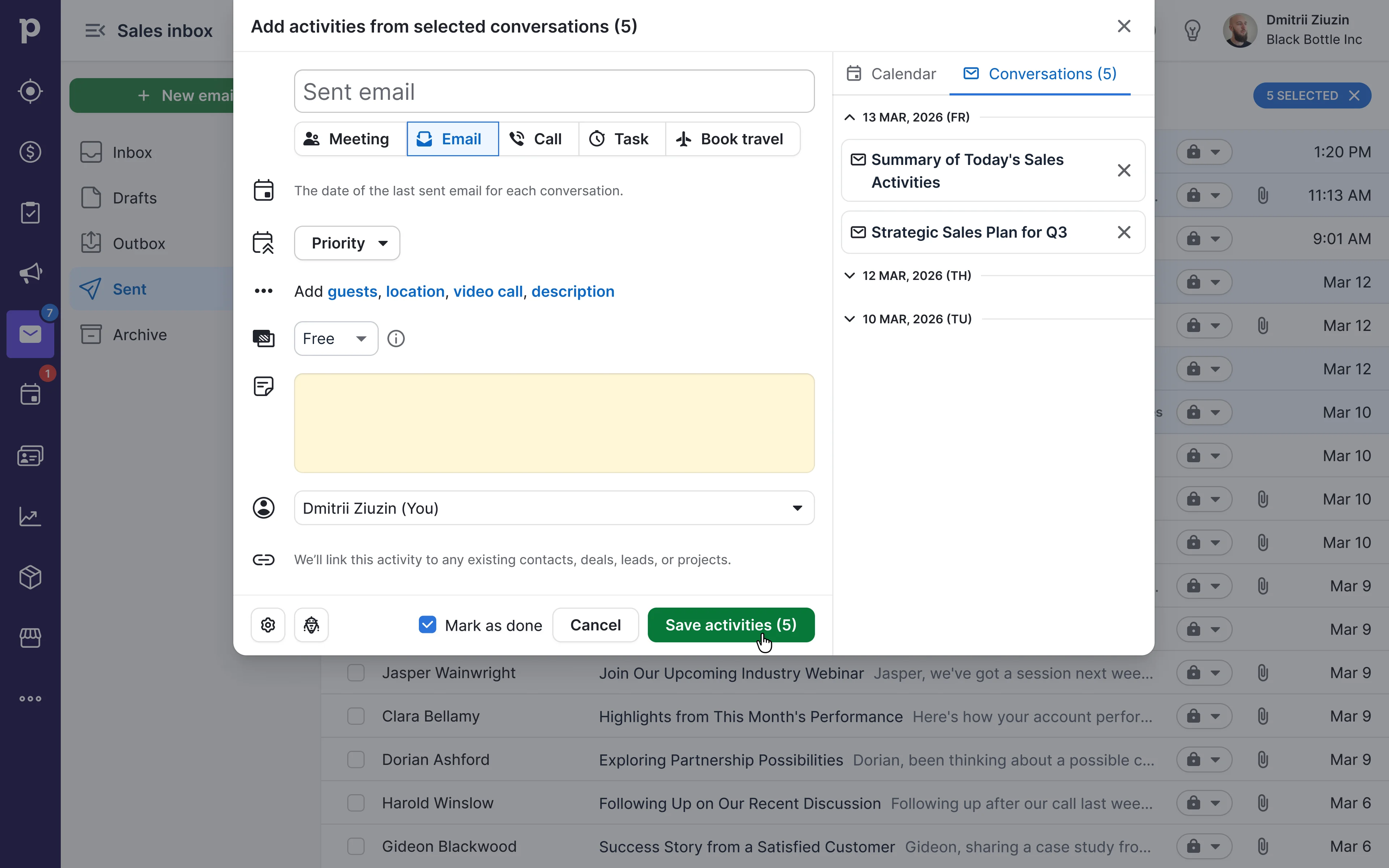
The team shipped precise, deliberate changes, not a redesign, that fit into how reps already worked: zero-click capture at send time, a user-level default, and bulk logging for emails sent from Gmail or Outlook.

Made real sales effort easy to log and count, cutting support tickets from managers who didn't trust the data.

Volume of emails logged as activities
×2.24
Feature retention
+63%
Support tickets
−42%

Hypotheses

1

If we give reps an easy way to turn a sent email into a logged activity, we expect more emails to get logged, because the current process takes too many manual steps.

Partially held

More emails got logged, but this version still asked reps to review and manually confirm each one after sending. That extra step meant people tried it once and stopped.
2

If we skip that manual confirmation step and create the activity automatically the moment the email is sent, we expect reps to log more consistently.

Held

This became the version we shipped.

3

If reps say in surveys that they want emails logged automatically, we expect their real behavior to match — not just what they say, but what they actually do when we give them a simple way to try it.

Held

This is what convinced us to commit engineering time to building it, instead of just going on survey answers alone.

4

If we let reps control the setting themselves instead of turning it on for everyone, we expect both the extra clicks and the noise problem to go away, because reps can simply skip logging things like internal emails to colleagues.

Held

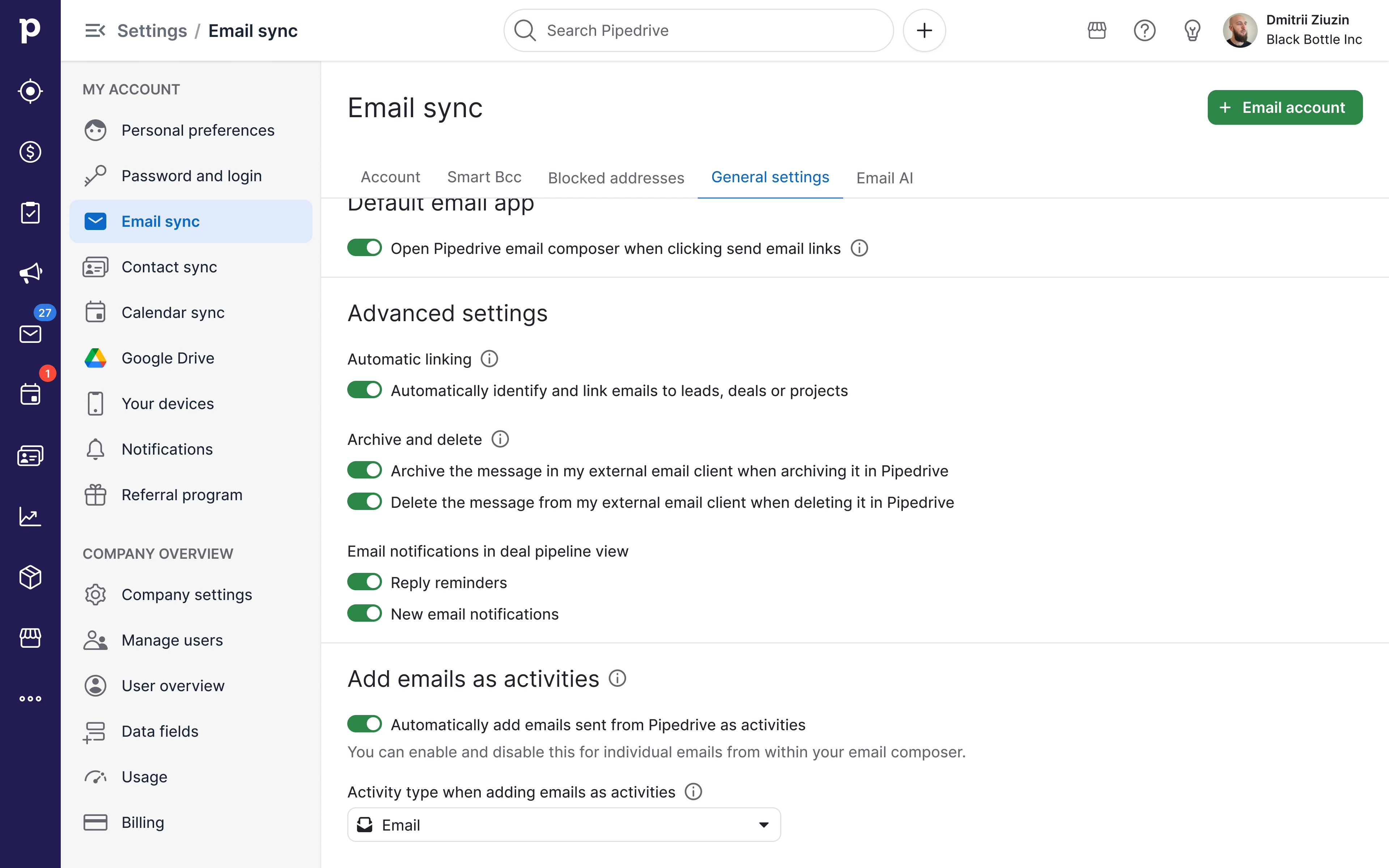
Shipped as a user-level setting — off by default, opt-in rather than forced on.

5

If we let reps log emails they already sent in the past, not just new ones going forward, we expect their activity history to become complete faster, because this also helps reps who prefer to log everything at the end of the day, in one batch, instead of email by email.

Held

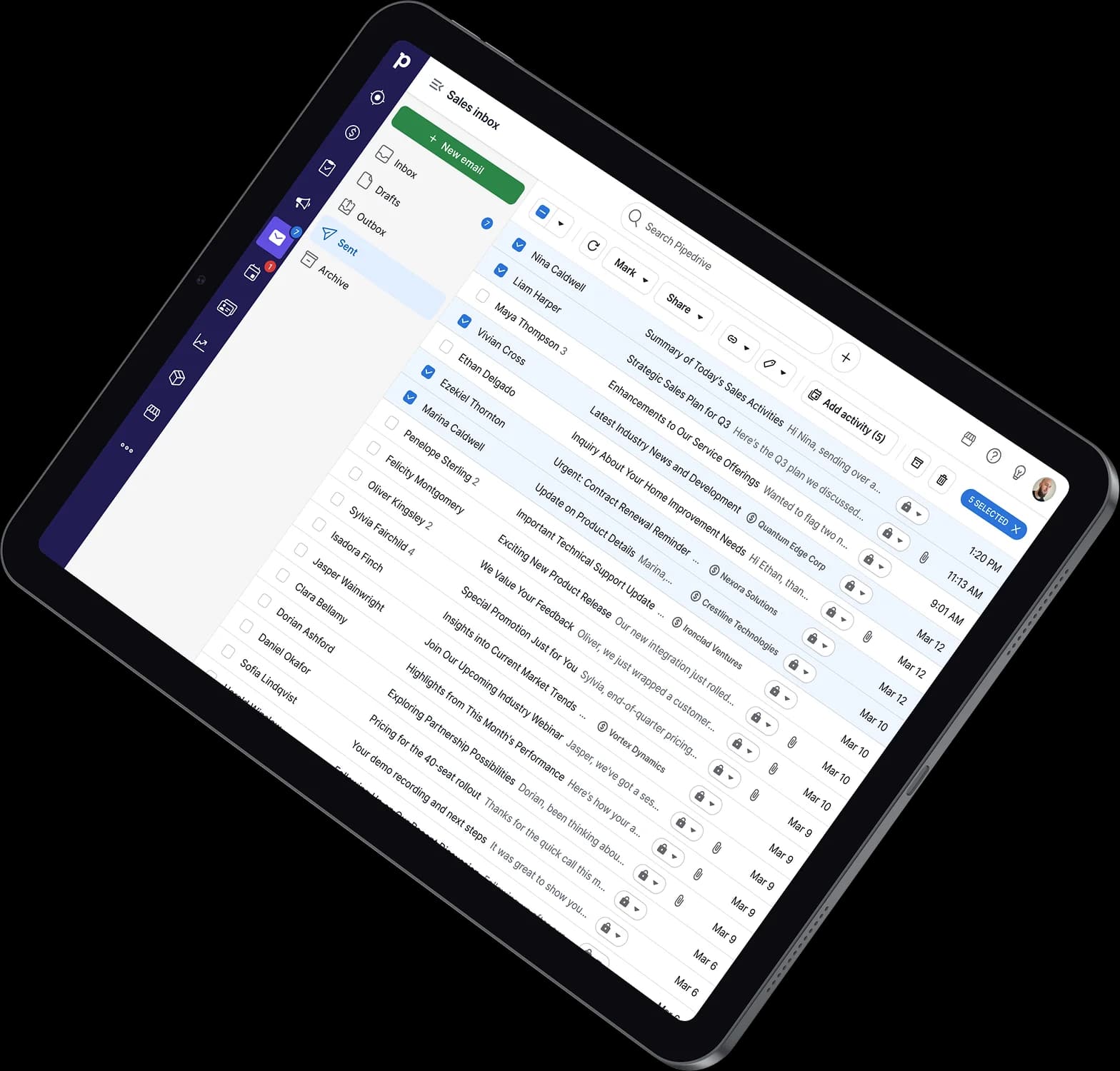
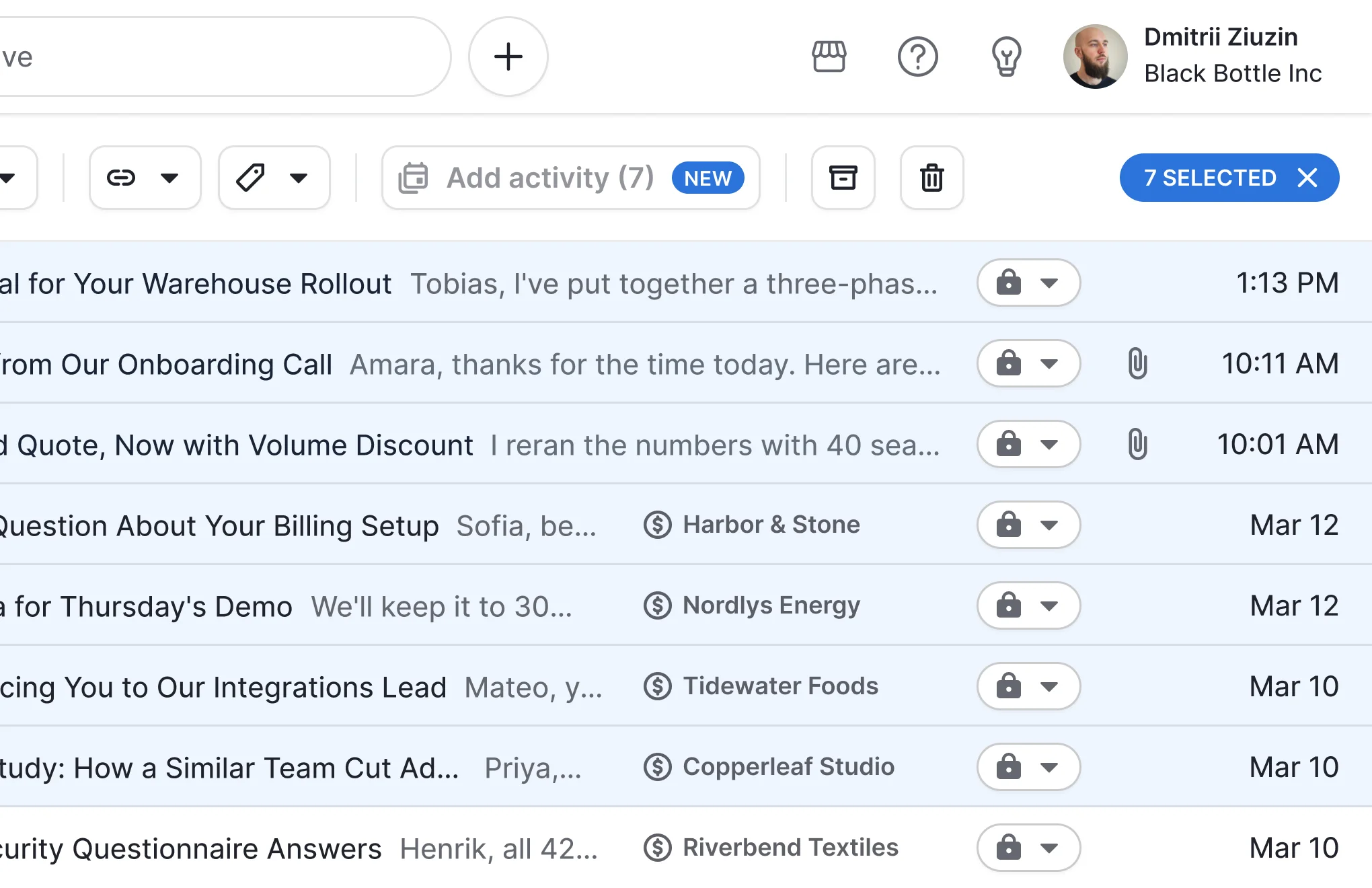
Shipped across the Sent folder, People, Organizations, and Leads list views.

Insight #1

The first version made users manually review and confirm each logged email. It proved the idea worked, but usage dropped after the first few tries.

Action

Cut the confirmation step entirely — one click at send time, then a fully automatic default.

Insight #2

Several requested filters (manual vs. sequence emails, entity-relation filtering) were blocked by backend constraints estimated at 5–14 weeks to index.

Action

Prioritized the highest-impact, lowest-effort win first — bulk retroactive logging from the Sent folder — and deferred granular filtering.

Stakeholder collaboration

In a 90-minute working session with the PM and engineering lead, we turned what we'd learned into a decision on what to build next. We debated default behavior head-on — should it be opt-in or on by default? Global setting or per-user? I walked the team through early concepts for how this would work and how it would show up in reports.

Questions we asked ourselves

Where might users misread what's happening?

What could make them trust the numbers too much, or not enough?

How do we explain "what counts" without overwhelming them?

User perspective

Forcing it on for everyone would feel intrusive and create noise.

Decision

Landed on a user-level "smart remember" setting, off by default — each sales rep decides for themselves instead of one setting applying to everyone.

Engineering scoped the options into rough effort buckets (small/medium/large) before we committed.

Gating

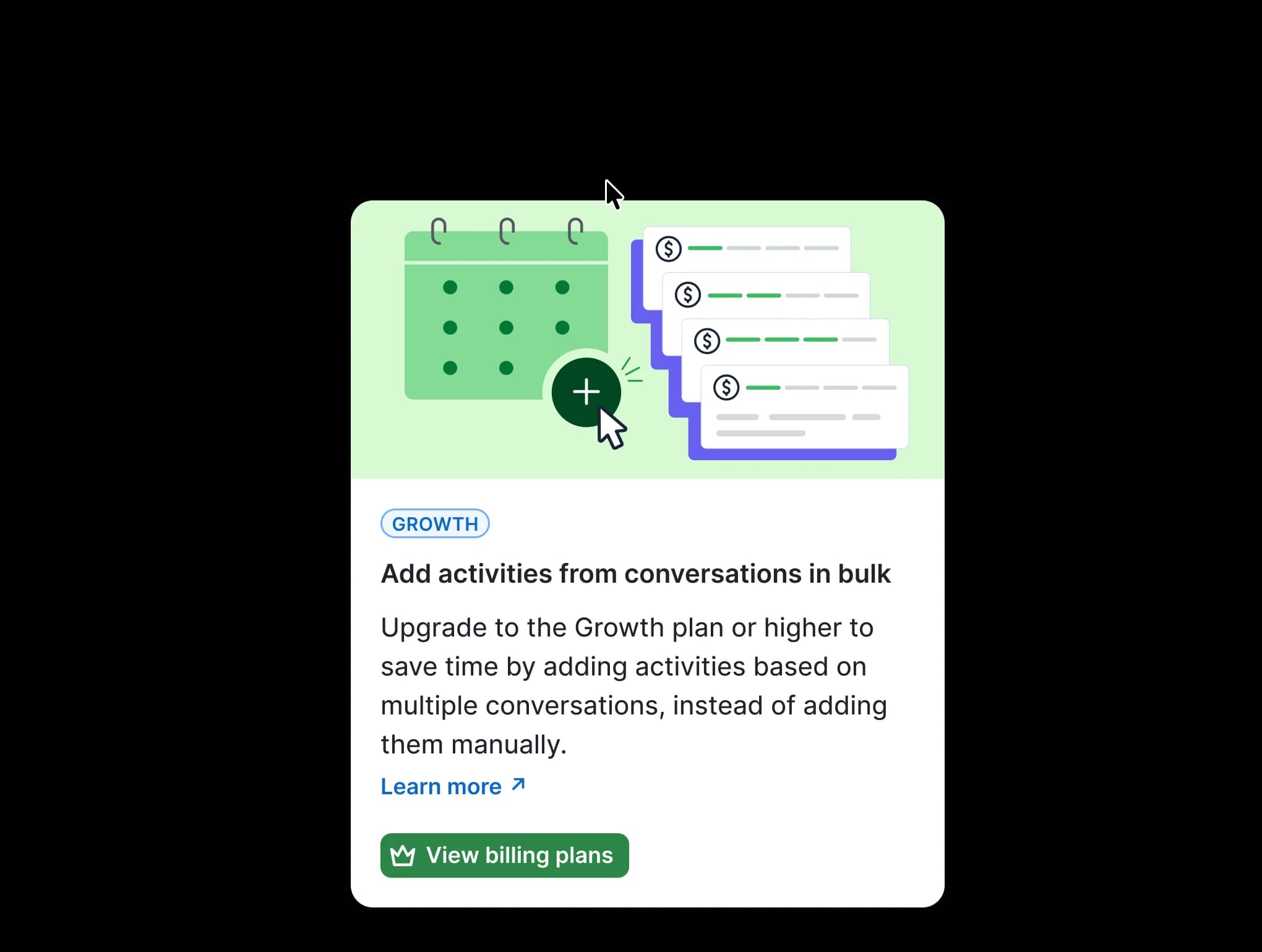
Lite-plan users don't have access to bulk logging. We could have designed new screens to promote an upgrade when they hit that wall.

What we did

Reused the existing "upgrade your plan" screens already in the product, rather than building something new for this one feature. It explains the limit clearly and prompts an upgrade, instead of just blocking the action with no explanation.

Impact

Saved development time and kept us focused on the main goal — complete reporting.
Upgrade prompt for bulk activities from conversations

Iterated

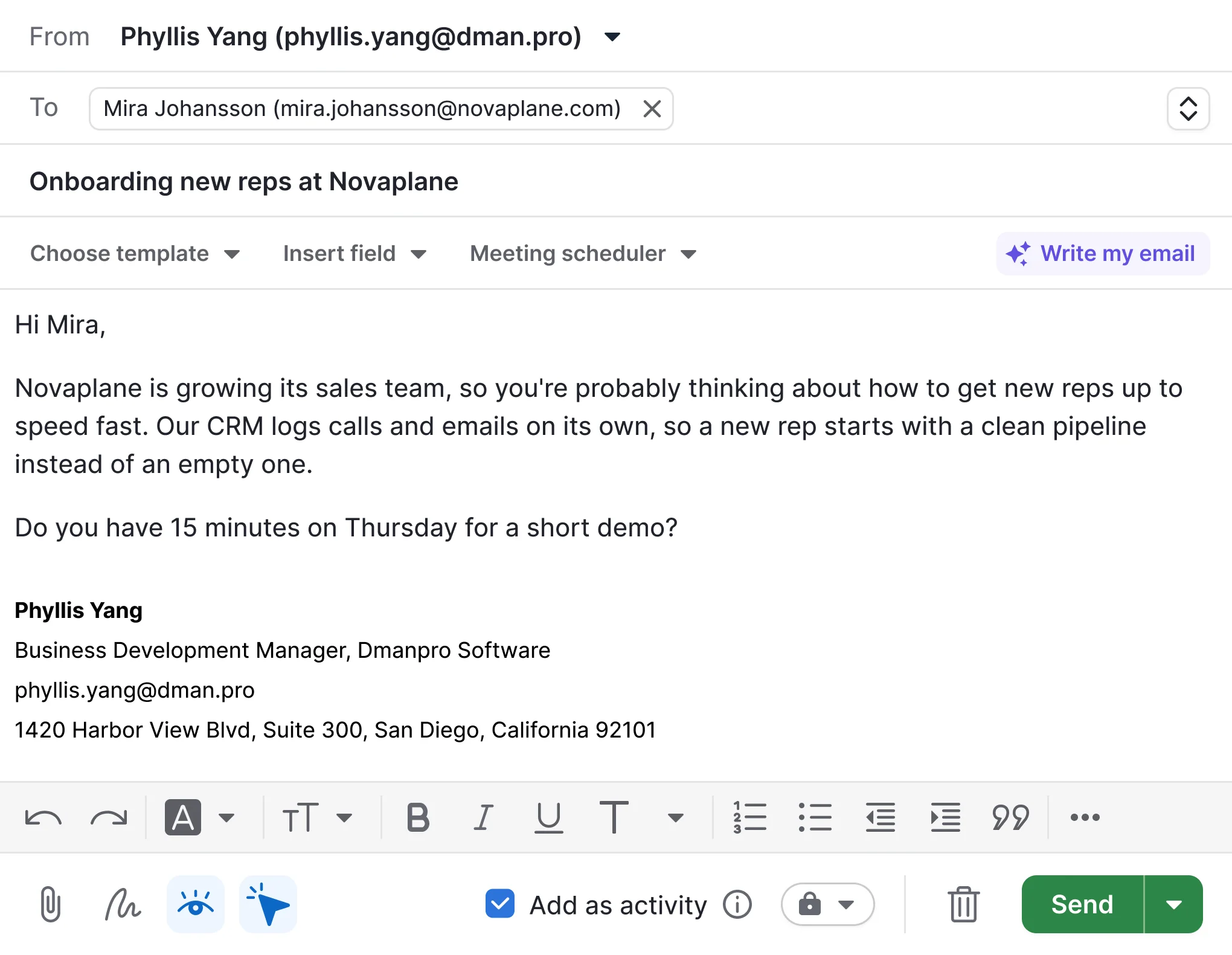
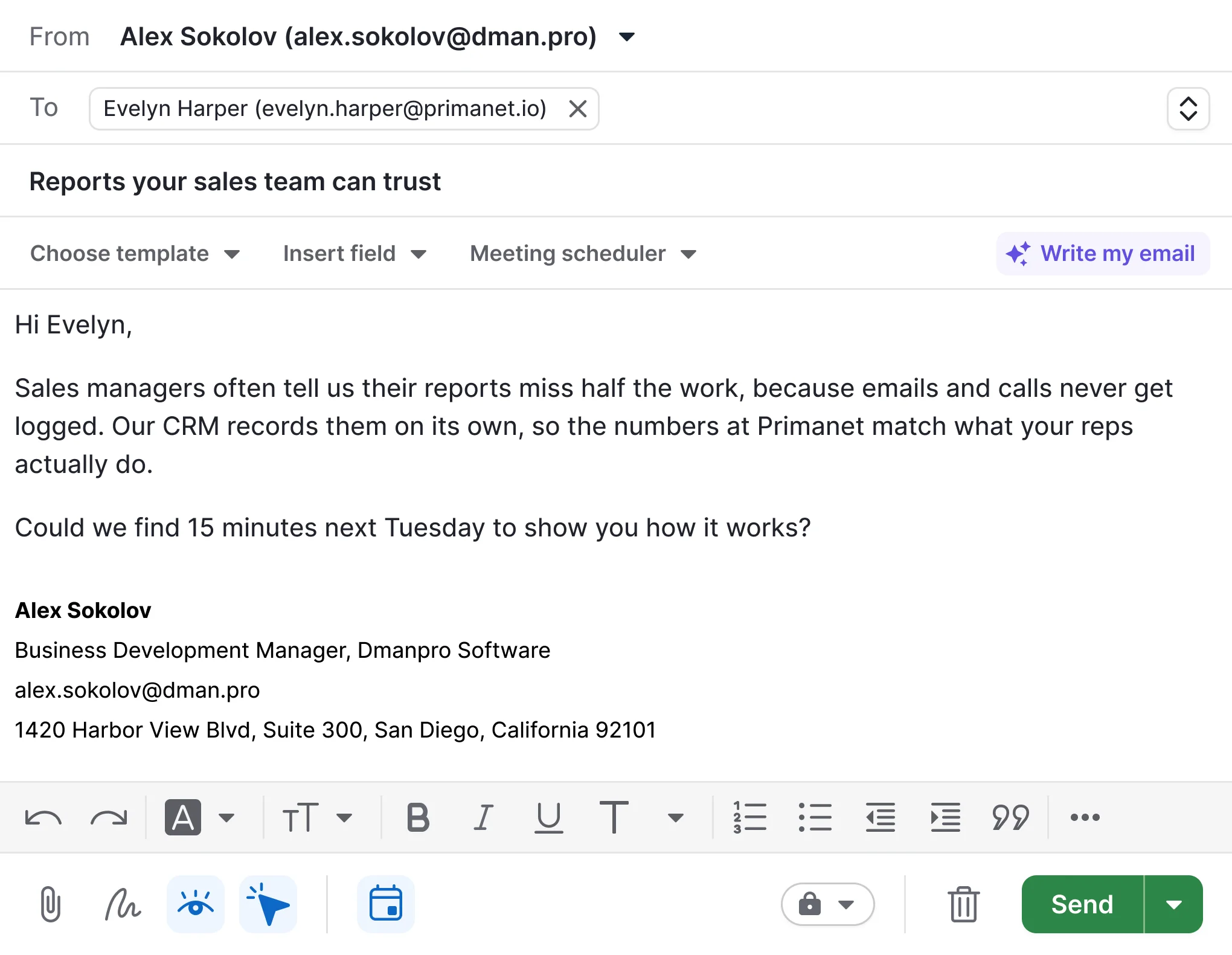
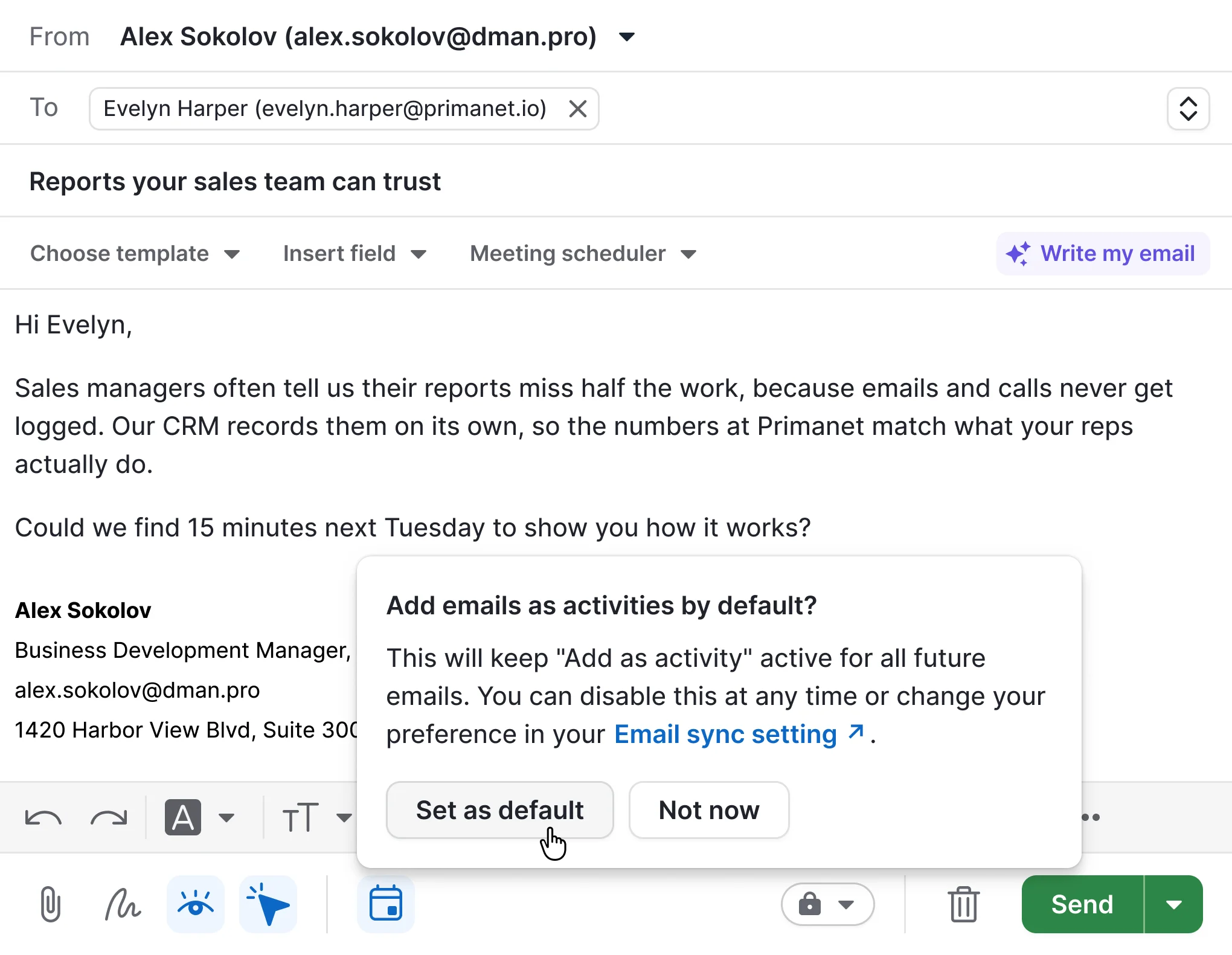
Started with a simple, more noticeable text checkbox to test the idea fast. Once it worked, we replaced it with an icon that matched the look and feel of other email composer controls sales reps already used every day.
Email composer, iteration 1
A simple, easy to notice checkbox to validate the idea fast
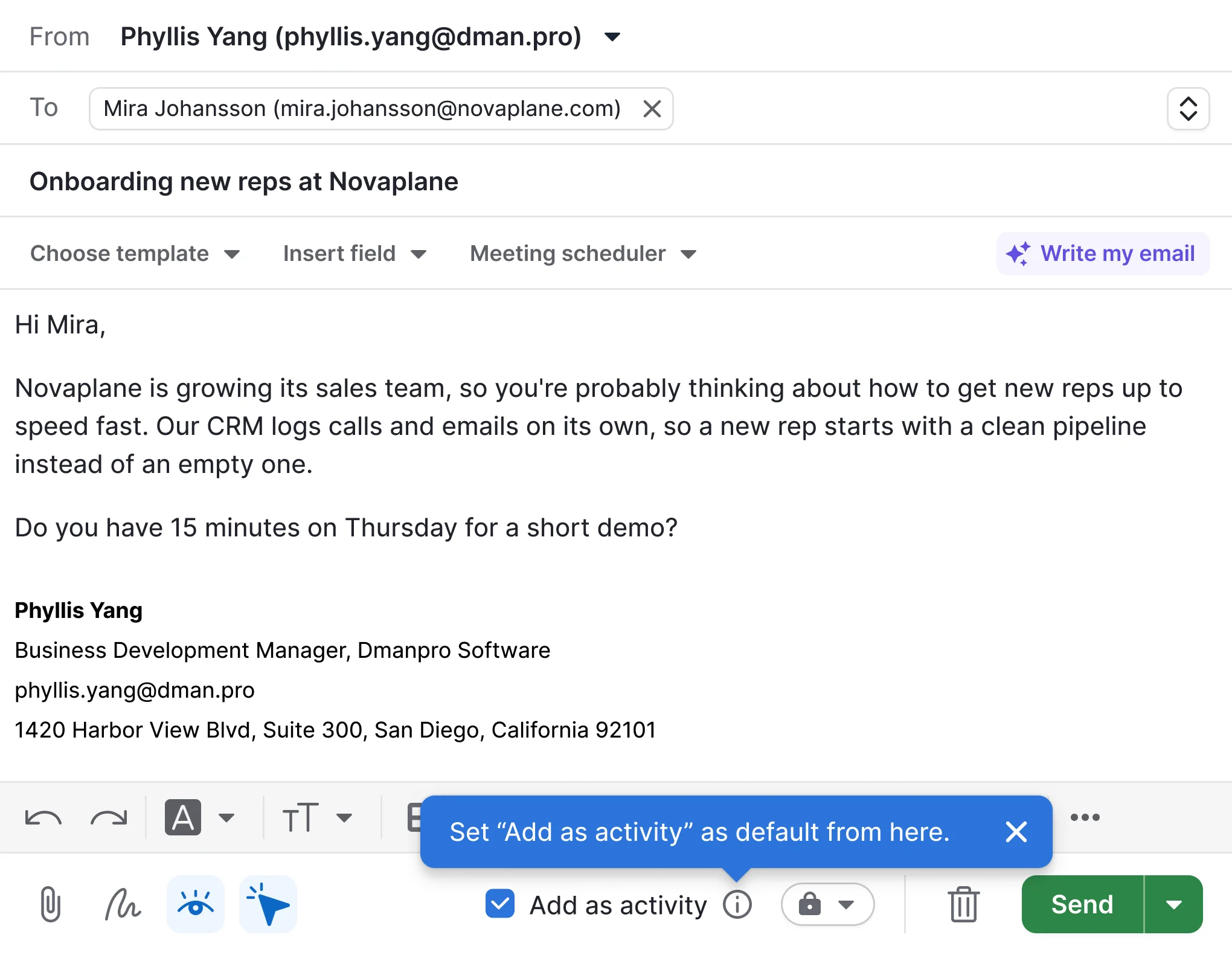
A coach mark points to the control on first use
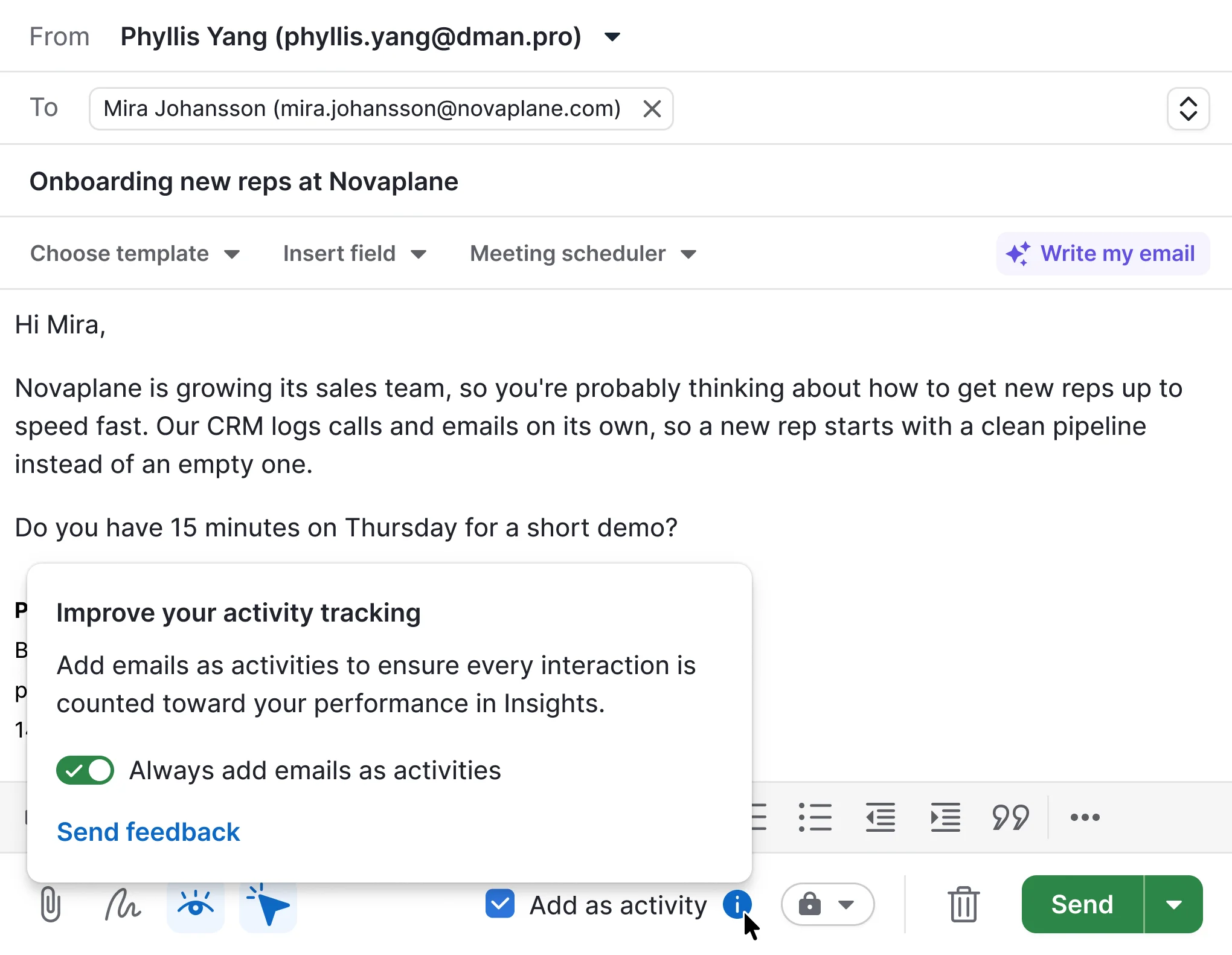
One click on the info icon opens a view to set the default for new emails
The final version matches the other email settings buttons
On first use, reps can set the default, and change it any time in Email sync settings

Decision

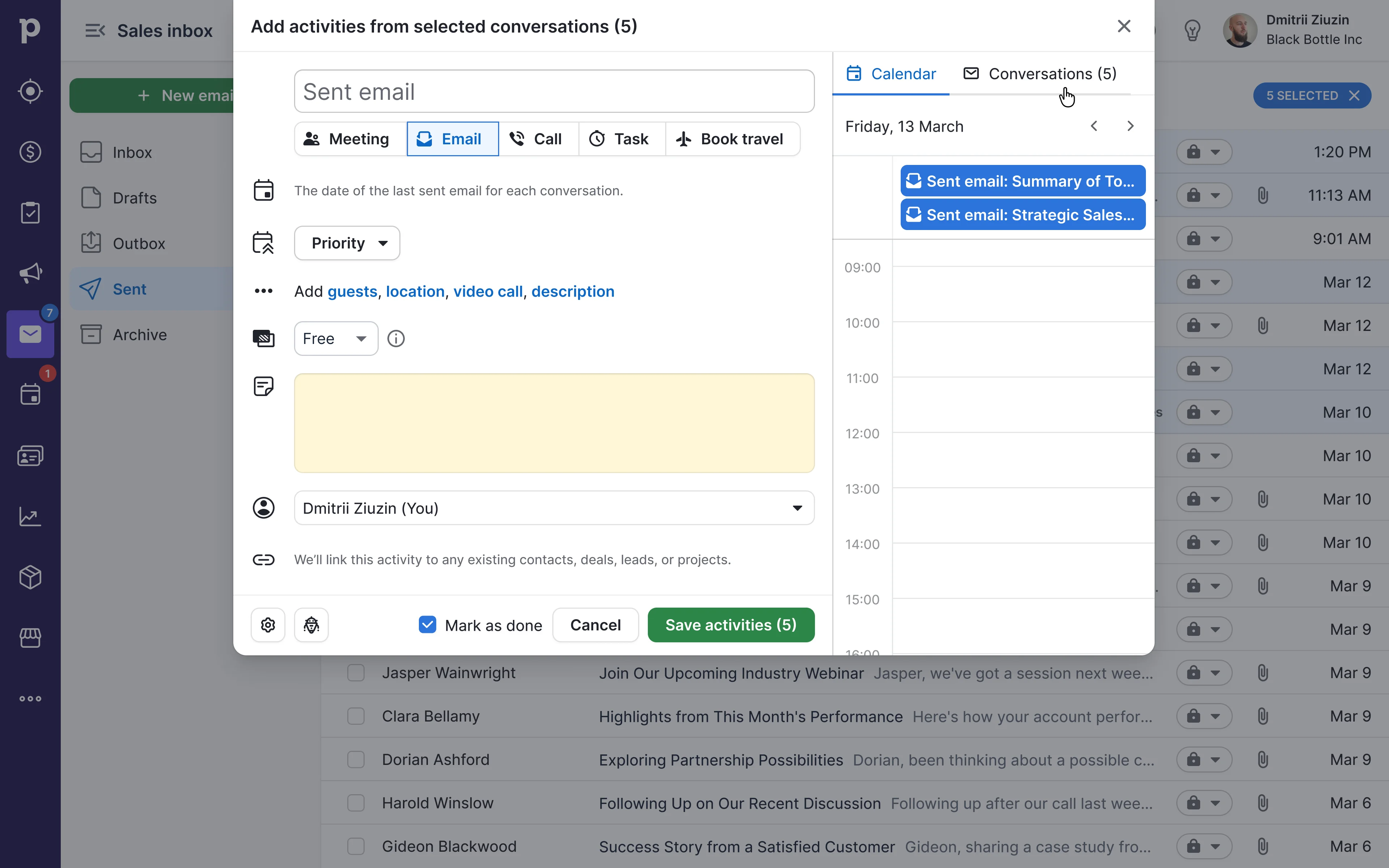
When a rep bulk-logs old emails, the system doesn't automatically connect them to a specific person, deal, or lead. This is slower for some cases, but it avoids wrong connections and keeps the data safe for everyone.

Trade-offs

Fails

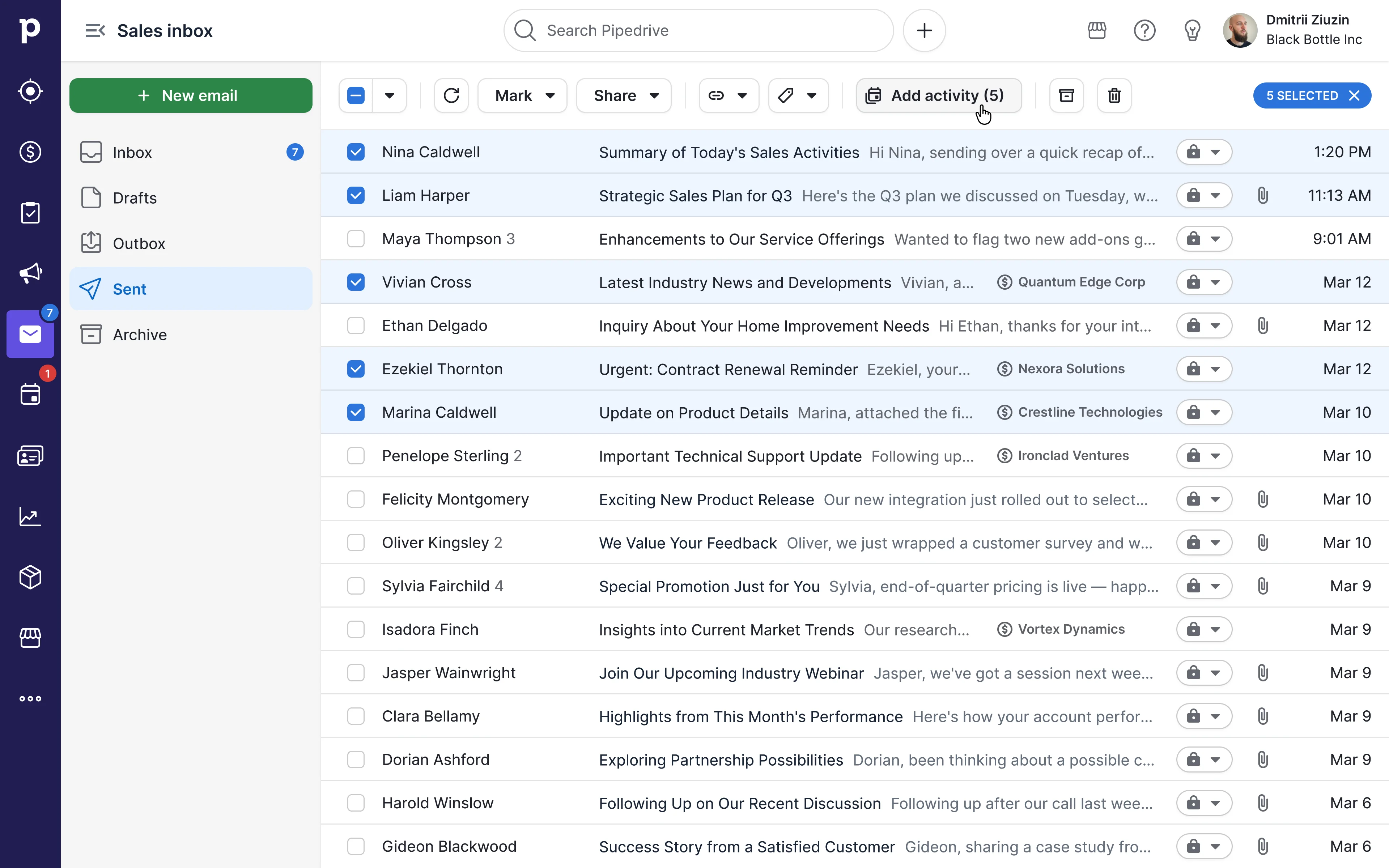
Bulk email logging

Sales reps can now select several sent emails, for example from today or this week, and log them as activities whenever it suits their workflow.
Sent

Settings

Whatever default is chosen on first use, sales reps can always change it later in Email sync settings.
General

Bridge line

The final design won by avoiding both problems shown above — the friction and the noise.

Logging emails as activities became easy, from one click to fully automatic. Support tickets dropped, trust in reports came back, and the adoption numbers show reps kept using it.

We rolled out gradually over about two months, starting with a small pilot and expanding step by step. Leadership asked us to speed up partway through, and we finished several weeks ahead of plan.
Volume of emails logged as activities
×2.24
Feature retention
+63%
Support tickets
−42%
Share of sent emails logged as activities
+65%
User adoption
+13%
Feature adoption

A second-tier, team-wide metric — not an isolated result of this project.

+36%

Reflection

The real lesson came mid-project, not after: control matters more than pure automation. The first instinct was to close the reporting gap by logging everything. User feedback showed that would create as much distrust as it solved. Shifting to opt-in, user-level defaults was the actual learning — proven by the data, not assumed upfront.

Customers say now

The automatic 'Add email as activity' is fantastic. I've been asking for this for years. Now that it's here, I absolutely love it. It's perfect.

It saves a lot of time and effort when we can make activities in bulk.

It helps a lot to organize activities across multiple contacts… don't remove this feature.

Bulk activity is SUCH a time saver! My whole sales team was so excited to get that option.

Scheduling each and every individual task would take way longer and add more clicks.

I have a portfolio of over 500 customers, it absolutely helps me set up my visits… I can set up my activities for the weeks so much more efficiently.

Don't remove it

Game changer update!

Yes, the bulk activity feature is great, it would take so much time to do these individually.

Plus this gives us a chance to reach out to more people and hit our KPIs all at the same time.

It allows the sales person to shorten their admin time.

We focus on a niche market… without the feature, I had to create a lead manually one by one… A lot of unnecessary steps.

I love it please don't remove never

Please do not remove it!

Team

Product design
Dmitrii Ziuzin
Early stage PD
Kristjan Pikk
Design mentor
Lauri Pildre
Product manager
Helena Parmask
Engineering
Pavlo Machekhin
Tetiana Voitovych
Mihkel Keso
Product Intelligence
Anna-Liisa Altmets
Customer facing team
Margarida Filipe
Sérgio Pinto